Learn 360 comes in two plans, Free and Pro. Both are the full product — you build courses, connect your own payment account, and keep 100% of every sale. The difference comes down to branding, a couple of limits, and how you scale.
What both plans share
No matter which plan you’re on:
- You can build as many courses, lessons, quizzes, and certificates as you like.
- You connect your own Stripe or PayPal account and keep 100% of your sales — Learn 360 never takes a cut of your course revenue.
- You get the same course builder, storefront, enrolment, team, and email tools.
Free — where the limits are
Free is a real, working academy with three limits:
- 5 users total. That’s your team and your learners combined. When you reach 5, new members — including learners — can’t sign up until you upgrade.
- 1 GB of storage for your uploaded videos, PDFs, and images. If you go over, your existing files stay safe, but you can’t upload anything new until you free up space or upgrade.
- Learn 360 branding is shown, and custom branding is locked. Your own logo, brand color, custom domain, and custom email sending domain are all Pro features.
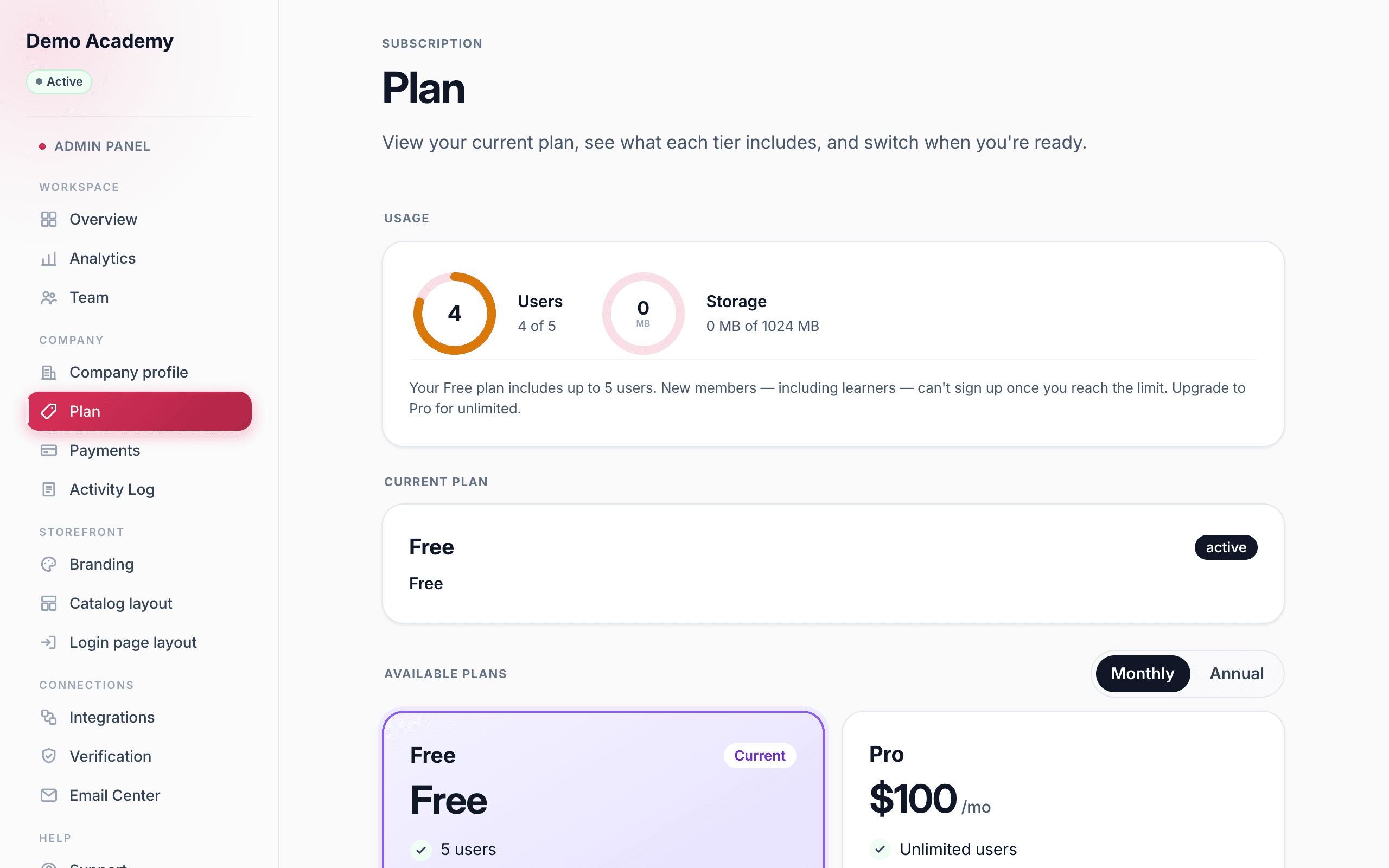
Pro — $100 a month
Pro lifts the limits and makes the whole thing yours:
- Unlimited users at a flat price — your cost doesn’t climb as your audience grows.
- Unlimited storage for your course media.
- Custom branding — your own logo and brand color, with Learn 360’s branding removed.
- Your own custom domain.
- Send email from your own domain for fully white-label messaging.
- Priority support.
How Pro is billed
Pro is $100 per month. You can also pay annually — that’s the same twelve months billed once as a single invoice ($1,200 a year) instead of twelve separate charges.
This subscription is billed securely through Paddle, our payment provider. It’s completely separate from the Stripe or PayPal account you connect to sell your own courses: one is what you pay Learn 360, the other is how your learners pay you.
Keeping an eye on your limits
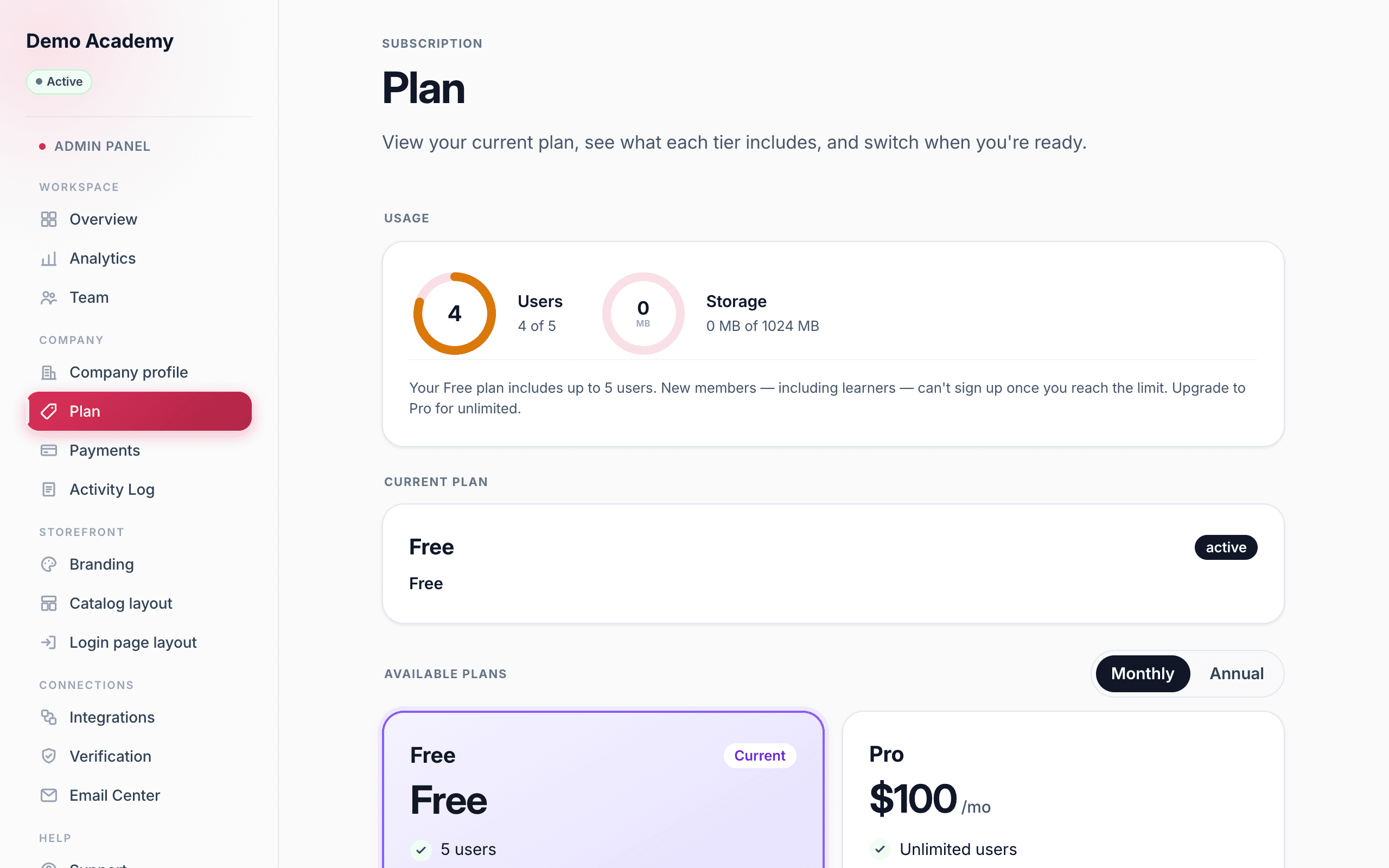
Open Admin PanelPlan to see two live usage meters — one for users, one for storage — above your current plan. As you approach a Free limit the ring turns amber, then red once you’re over, so there are no surprises.
Ready to unlock it all? It takes about a minute — see Upgrade to Pro.