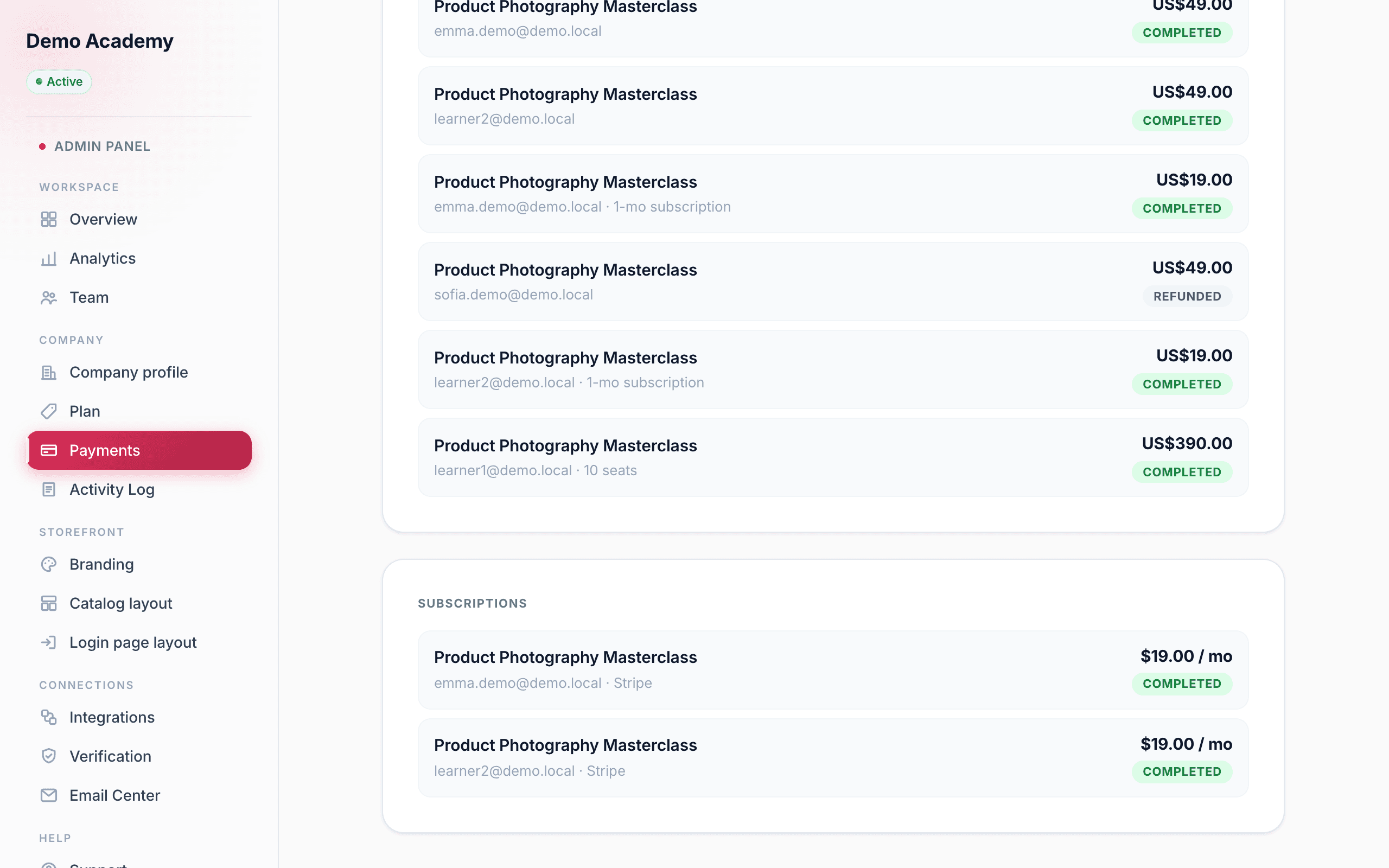
Once you’ve connected Stripe or PayPal, the Admin PanelPayments page becomes your money dashboard. Below the processor card, three sections appear: Income, Recent transactions, and Subscriptions. Because buyers pay you directly, everything here reflects your own Stripe or PayPal account.
Your income at a glance
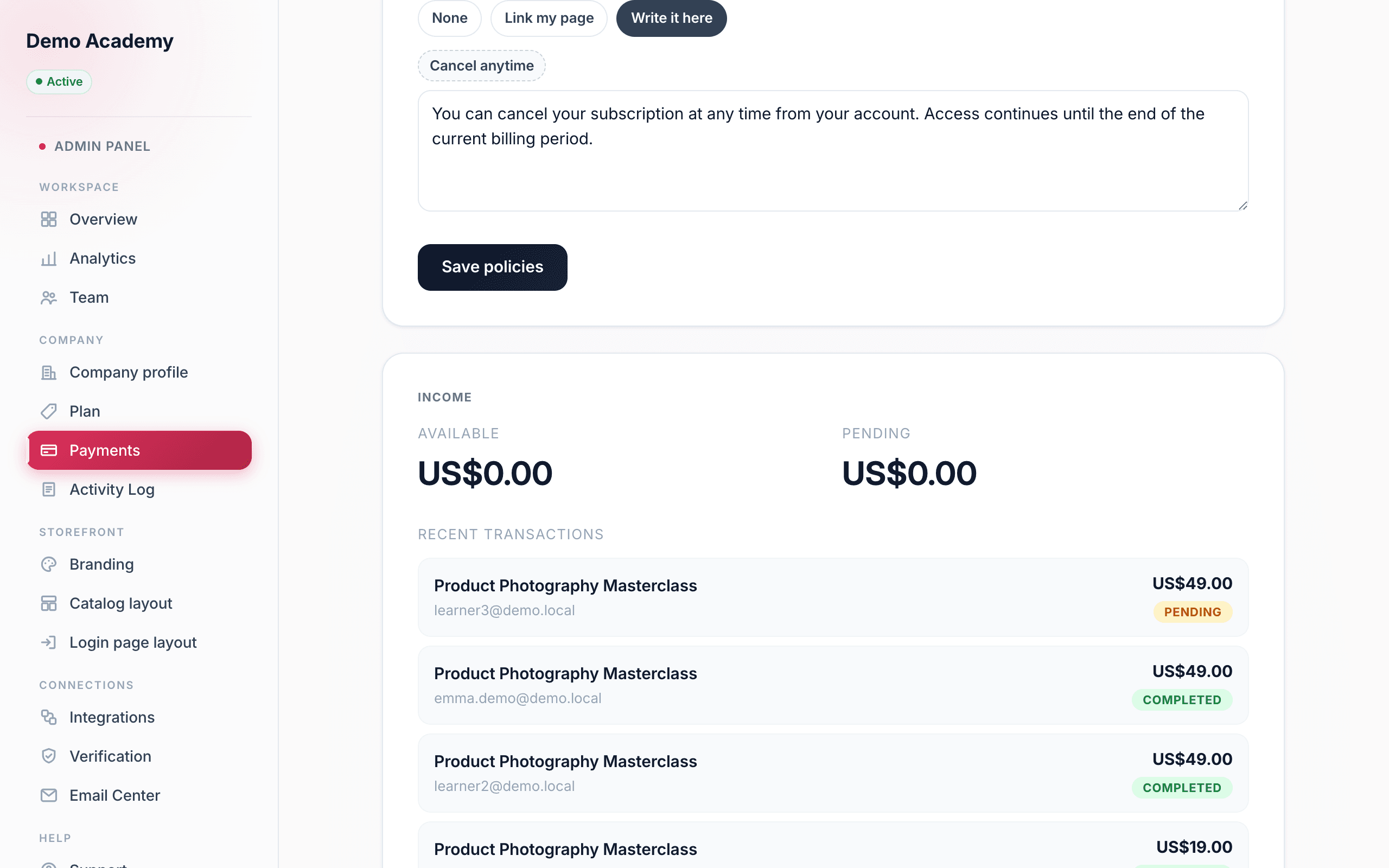
The Income card summarises what you’ve earned, and it looks a little different depending on your processor:
- Stripe shows two balance tiles — Available (ready to pay out) and Pending (still clearing) — pulled straight from your Stripe balance.
- PayPal shows a sales summary instead — Total sales (gross) and Completed sales (the count) — with a note that PayPal settles directly to your PayPal balance, which is where you’ll see the live figure.
Recent transactions
Recent transactions lists every sale. Each row shows the course or series title, the buyer’s email, small tags for extras (“· 12-mo subscription,” “· 10 seats”), the amount, and a status badge:
- Completed — paid and access granted.
- Pending — payment still processing.
- Failed — the charge didn’t go through.
- Refunded — you refunded this sale.
The transaction detail
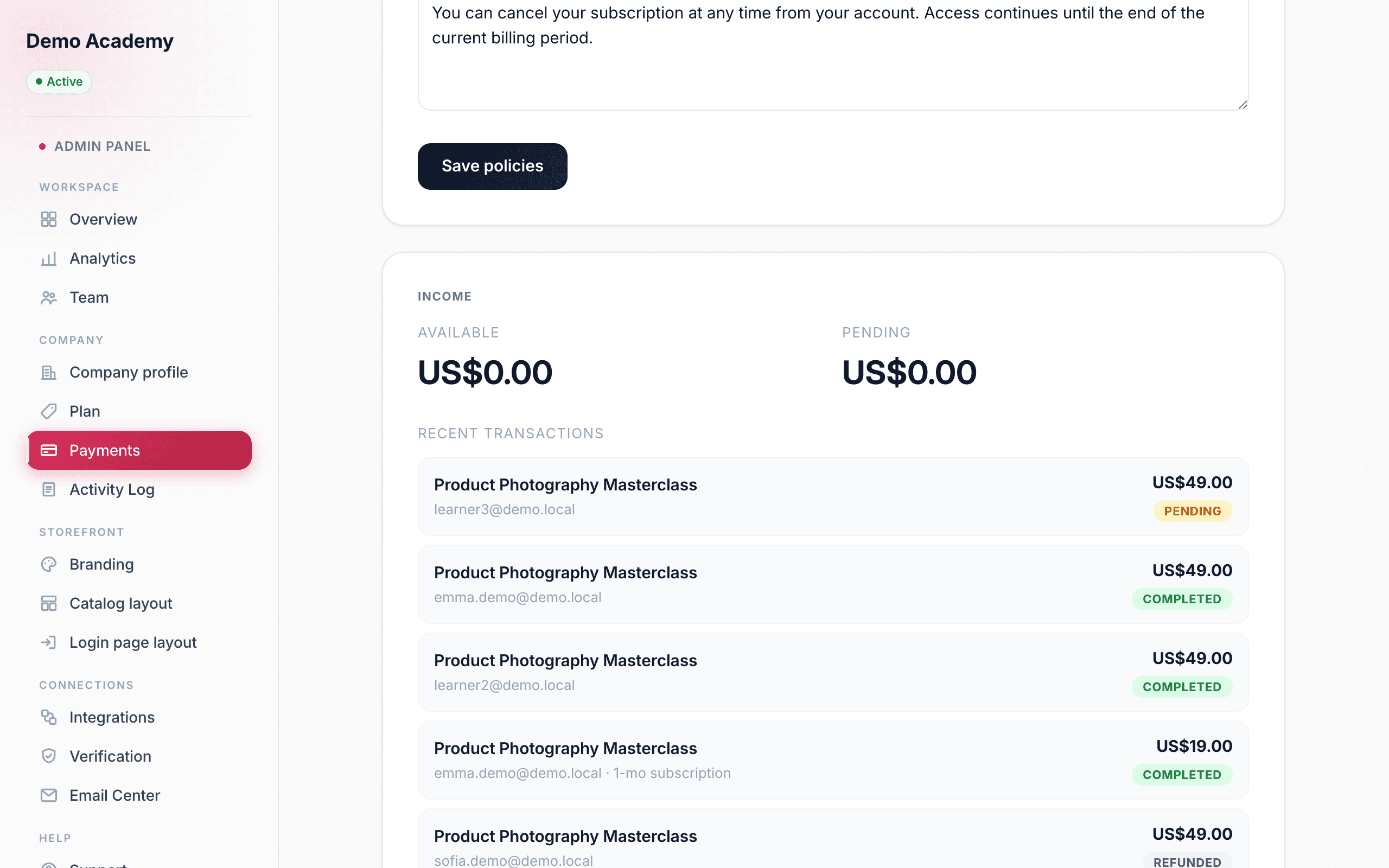
Click any transaction to open its detail. Alongside the amount and status, you get the full picture: the Package bought, the Buyer and their Email, the number of Seats (for team packages), the Billing interval (for subscriptions), the Date, the Processor, and the underlying payment or subscription ID. For a subscription, a live block also shows its current Status, the Recurring price and period, the Next charge date, and (if it’s ending) the date access lasts until.
Issuing a refund
From that same detail view, Refund this purchase starts a refund. You’re asked to confirm, and the confirmation spells out exactly what will happen: “Refund [amount] to [email], cancel their subscription, and remove their access? This can’t be undone.” Choose Confirm refund and Learn 360:
- refunds the money through your own Stripe or PayPal, from your balance;
- revokes the buyer’s access to that course or series;
- cancels the subscription, if it was a recurring plan; and
- emails both the buyer and your admins to confirm.
Only Completed (or past-due) purchases can be refunded — anything already refunded, failed, or pending shows a note that it can’t be refunded here.
Subscriptions
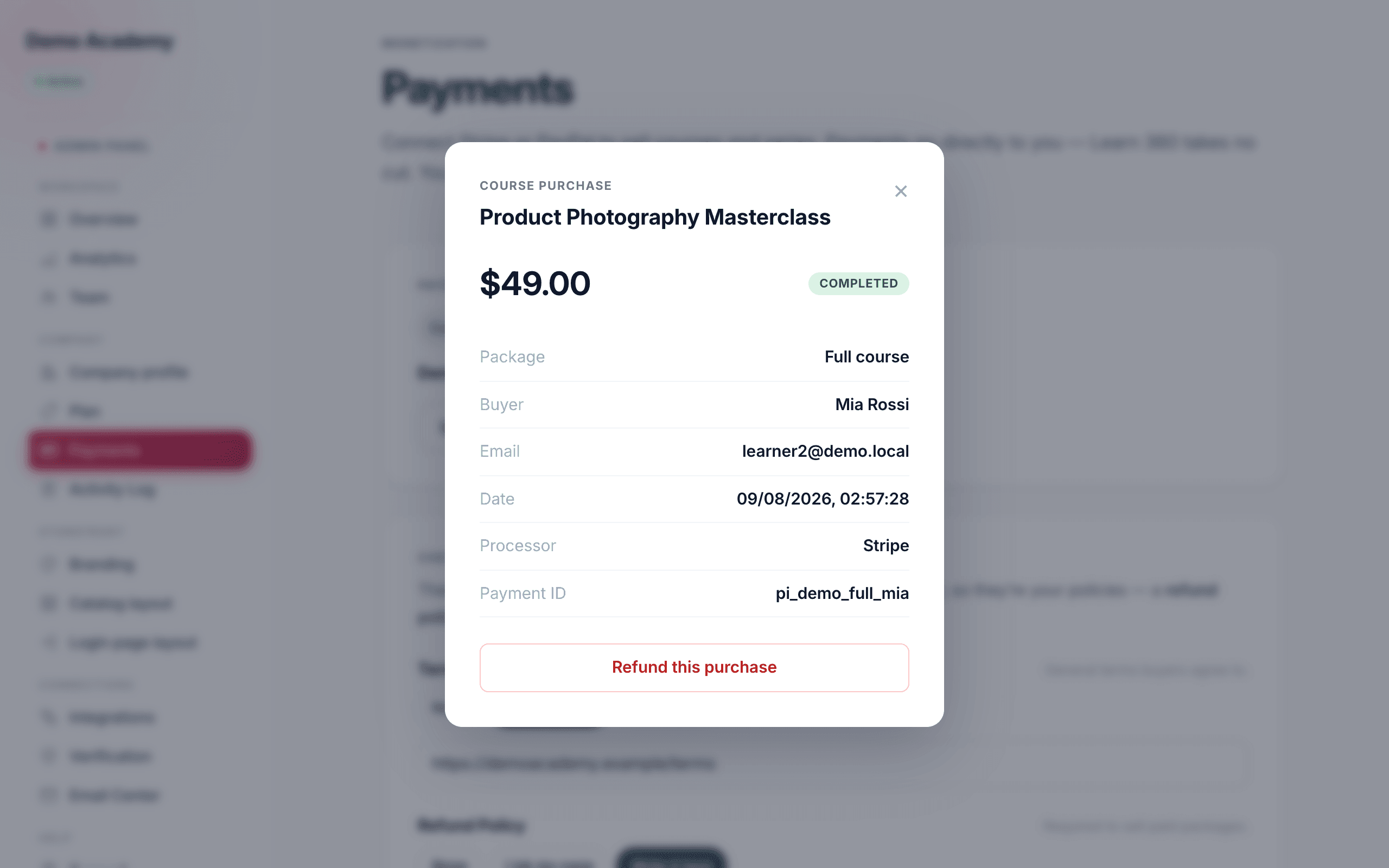
When you’ve made at least one recurring sale, a Subscriptions section appears. Each row shows the course or series, the buyer’s email, the processor, the recurring amount and period, and a live-state badge so you always know who’s currently paying:
- Active — billing normally.
- Pending — starting up.
- Canceling — set to end; access runs until the paid period is over.
- Payment paused — a payment needs attention (a failed card).
- Ended — finished; no more charges.