Learn 360 is a white-label learning platform — a complete online academy that runs under your brand, on your domain, where you keep 100% of what you sell. This guide is your starting point.
In an afternoon you can go from an empty account to a live academy where learners sign up, buy your courses, and start learning — without writing a single line of code.
What you can build
- Courses — video lessons, PDFs, rich text, images, embeds, quizzes, and discussions.
- Series — bundle several courses into one structured program.
- A branded storefront — your logo, colors, and domain, with a catalog learners can browse and buy from.
- Certificates — award a certificate automatically when a learner finishes.
The two sides of your dashboard
Everything you do lives in one of two workspaces, and you switch between them with a single button in the sidebar:
- Admin Panel — your business settings: branding, your domain, payments, your plan, team, and integrations.
- LMS — your teaching space: where you create and manage courses, series, quizzes, and certificates.
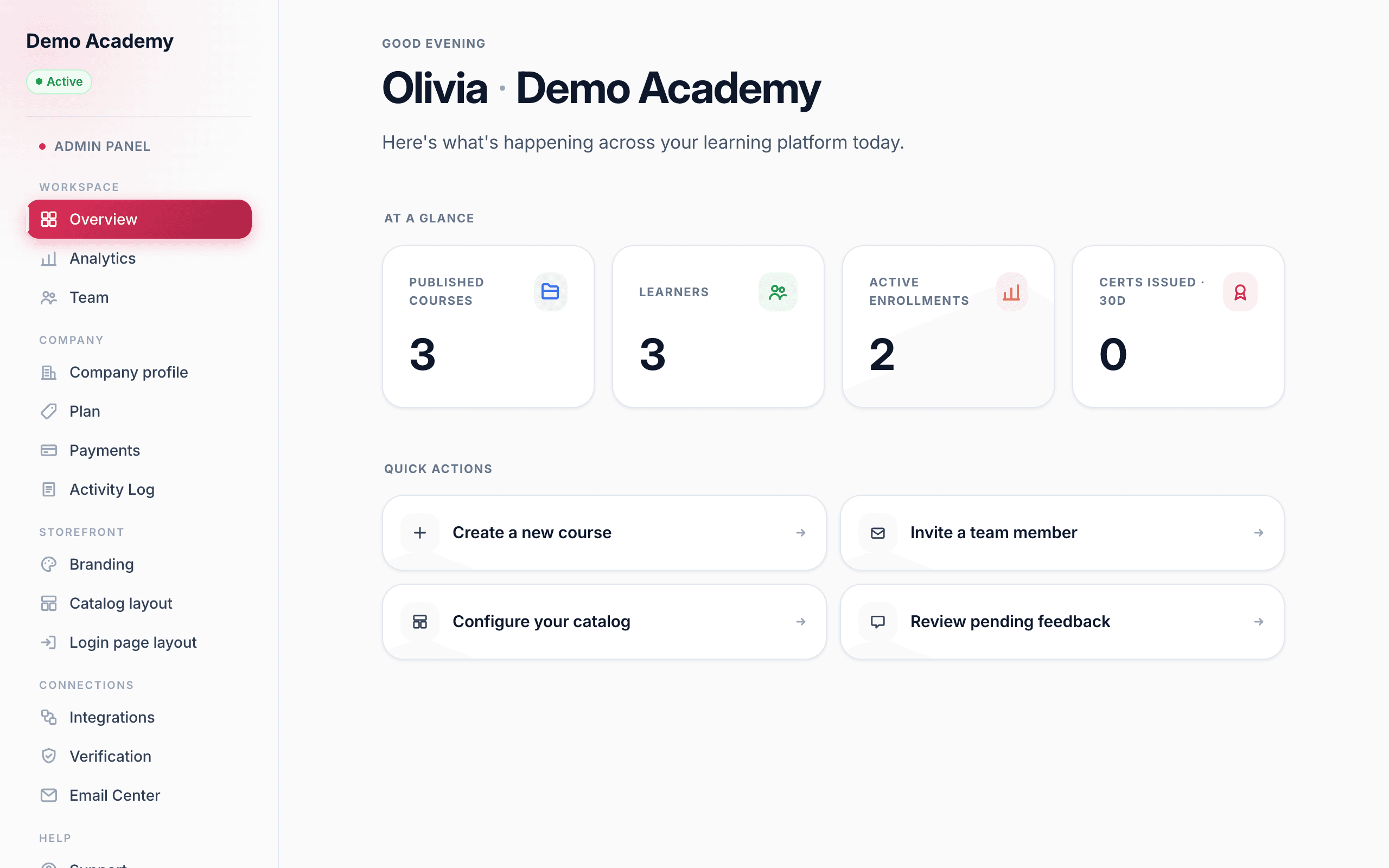
We break both down in A tour of your dashboard.
What it costs
You can start completely free. The Free plan is the full product — build courses, take payments, and keep 100% of your sales — with some limits and Learn 360 branding shown. Pro removes the branding, unlocks your custom domain, and scales to unlimited learners for a flat monthly price.
Ready to start?
Follow these three guides in order and you’ll have a live academy: